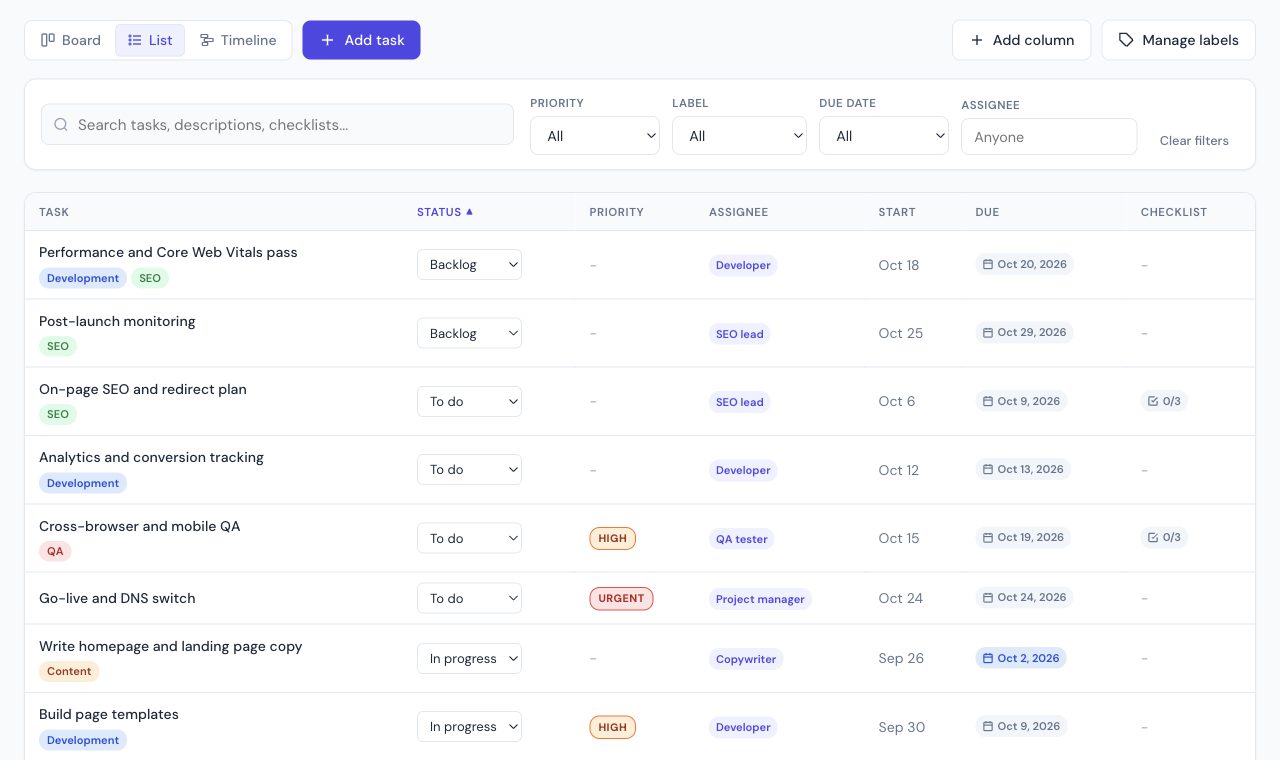
This project tracker template is a single list: task, owner, status, priority, start, due date and a checklist. Use it to see where the work stands, not to draw a Gantt chart.
The planner opens a full website-launch tracker, with dates set from today, in list, board and timeline views. The Excel file is a shorter starter list with example dates from September 28, 2026.
Columns worth keeping
| Column | Why it is there |
|---|---|
| Title | The task, specific enough that someone else can finish it |
| Status | To do, In progress, Done. Change this in the list without opening the task |
| Assigned to | One owner. Shared owners hide a stalled task |
| Priority | Urgent and high float to the top when you sort |
| Start date and due date | Enough to see slips. The planner turns these into a timeline if you need one |
| Checklist items | The steps inside a task, so the row stays one deliverable |
More complete plans, including a sprint and a client onboarding, are on the project management templates page. The planner itself is the free project tracker those files open in.
What is in the Excel file
Six starter rows with example dates. Replace them with your own tasks; keep the header row.
| Task | Status | Priority | Start | Due | Owner |
|---|---|---|---|---|---|
| Define the outcome and the deadline | To do | high | 2026-09-28 | 2026-09-28 | Project lead |
| List the workstreams | To do | - | 2026-09-29 | 2026-09-30 | Project lead |
| Assign an owner to every task | To do | high | 2026-09-30 | 2026-09-30 | Project lead |
| First status check | To do | - | 2026-10-05 | 2026-10-05 | Project lead |
| Midpoint review | To do | - | 2026-10-12 | 2026-10-12 | Project lead |
| Final delivery | To do | urgent | 2026-10-26 | 2026-10-26 | Project lead |
Set up the tracker in five minutes
- Write the outcome in one sentence in the first task, with the final due date. Every other row should move toward it.
- List the work, not the meetings. Each row is something that can be finished and checked.
- Give each row one owner. If you cannot name one, the task is not ready to track.
- Set due dates on everything that someone else is waiting for. Start dates are optional.
- Sort by due date, then by priority. The top of the list is what the team discusses this week.
Status values that keep a tracker honest
| Status | Use it when | Watch out for |
|---|---|---|
| To do | The task is agreed and owned, but nobody has started | Tasks with no due date that sit here for weeks |
| In progress | The owner is working on it this week | More than two or three per person usually means nothing is finishing |
| Waiting | Blocked by someone outside the task (a client, an approval) | Write who it is waiting on in the task, so it can be chased |
| In review | Done by the owner, being checked by someone else | Reviews with no reviewer named |
| Done | Delivered and accepted | Reopening tasks instead of creating a follow-up |
Five values are enough for most projects. More statuses make the board look precise, but they are updated less often, and a stale status is worse than a coarse one.
A 15-minute weekly review
- Filter to tasks due in the next two weeks. Is every one of them owned and still realistic?
- Look at everything In progress. Anything unchanged since last week gets a note or a new date.
- Chase every Waiting task by name.
- Move finished work to Done, and add the new tasks that came up.
- Check the final due date. If it moved, tell the people who depend on it now, not at the deadline.
Tracker, board or Gantt chart?
| View | Best for | Weak at |
|---|---|---|
| Tracker (list) | Status by owner and due date; weekly reviews | Seeing overlaps between tasks |
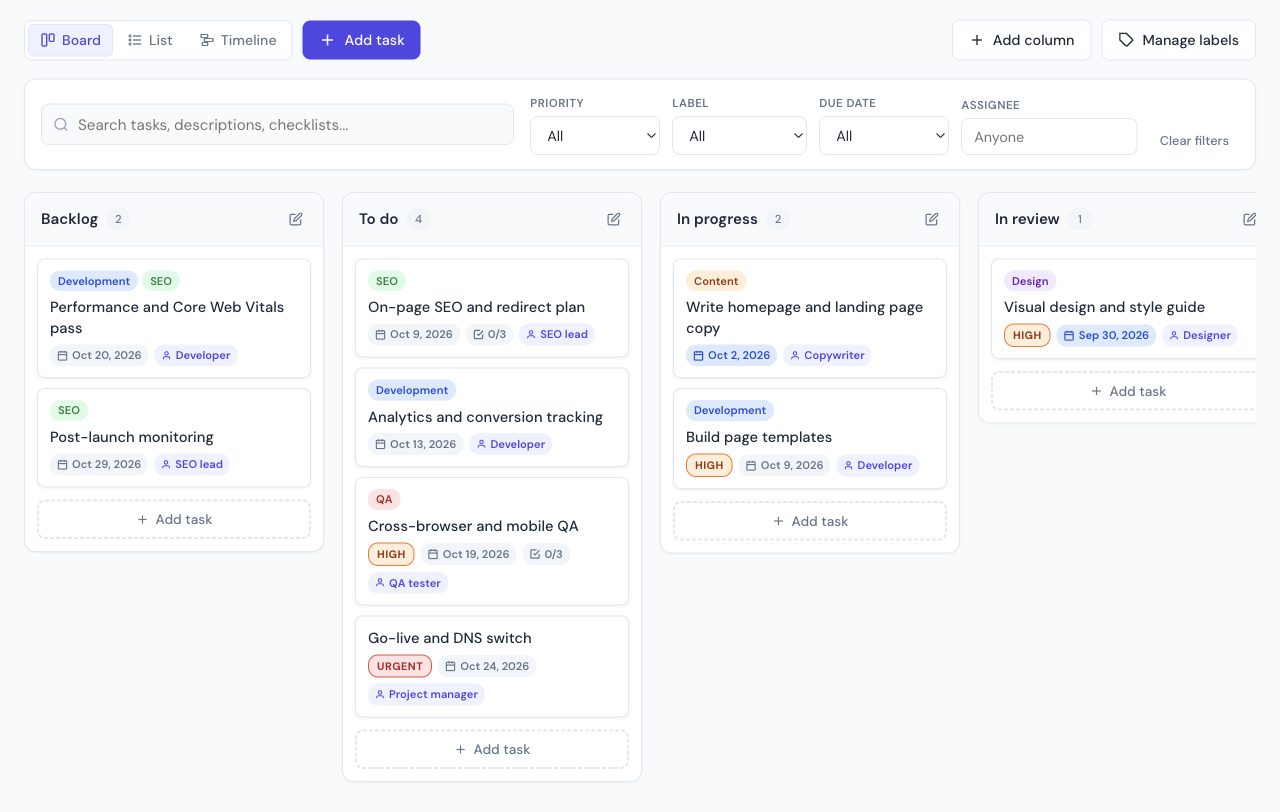
| Board (kanban) | Moving work between stages; daily stand-ups | Deadlines further than a week out |
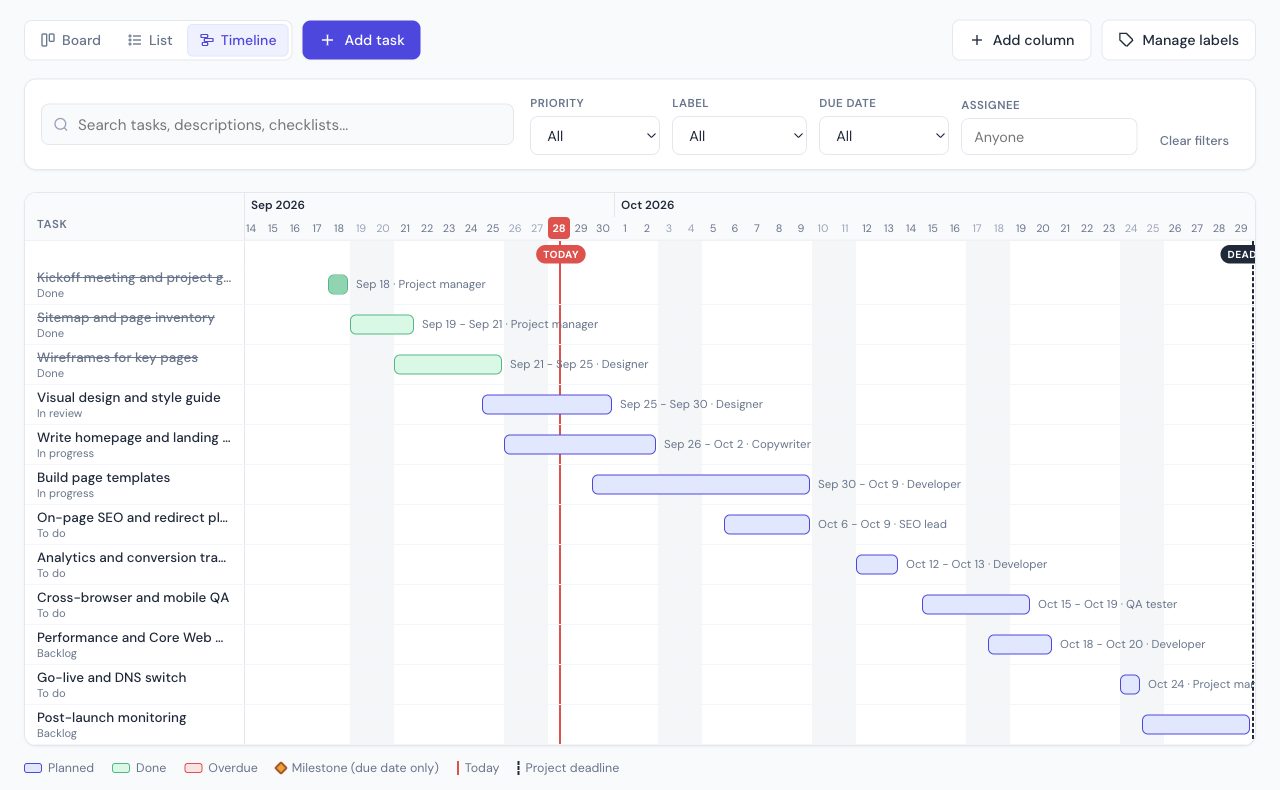
| Gantt or timeline | Dependencies and overlapping work over weeks | Quick status updates |
The planner shows the same rows in all three views, so you do not have to choose up front. Start with the list, switch to the timeline when dates start to collide.
Excel, Google Sheets, or the online tracker
Use the spreadsheet if the tracker has to be emailed or dropped into a folder. Use the online planner if you want to drag status, filter by owner and see the same rows as a board. Both start from the same columns, and the planner can import the Excel file later.
A spreadsheet tracker has no live sharing. If that is the next problem, ClickUp and monday.com are the usual upgrades. ClickUp does not cap free members. monday.com's free plan is 2 seats, which is fine for a pair and tight for a project team. Compared on ClickUp vs monday.com.
Related guides
Frequently asked questions
What is a project tracker template?
A project tracker is a list of tasks with an owner, a status, a priority and dates, so you can see what is on track. This template is that list: open it in the free planner, or download the Excel file and edit the rows.
Is this a project tracker spreadsheet?
The download is an Excel file with Title, Status, Priority, Start date, Due date, Assigned to, Labels and Checklist items. It opens in Excel and in Google Sheets. The online version is the same columns in the planner's list view, with no formulas to maintain.
Do I need an account?
No. The planner stores the tracker in your browser. A share link or the Excel file is how you move it to another person.
When should I switch to a project tracker app?
When more than one person needs to update status during the week. ClickUp's free plan tracks tasks for unlimited members. A spreadsheet tracker breaks down once two people edit it at the same time.
How often should a project tracker be updated?
Owners update their own rows whenever status changes, and the project lead reviews the whole list once a week. A tracker that is only updated before meetings shows last week's project.
What is the difference between a project plan and a project tracker?
A plan says what should happen and when. A tracker says what is actually happening: status, owner and whether the due date still holds. This template starts as a plan and becomes the tracker as you update the status column.